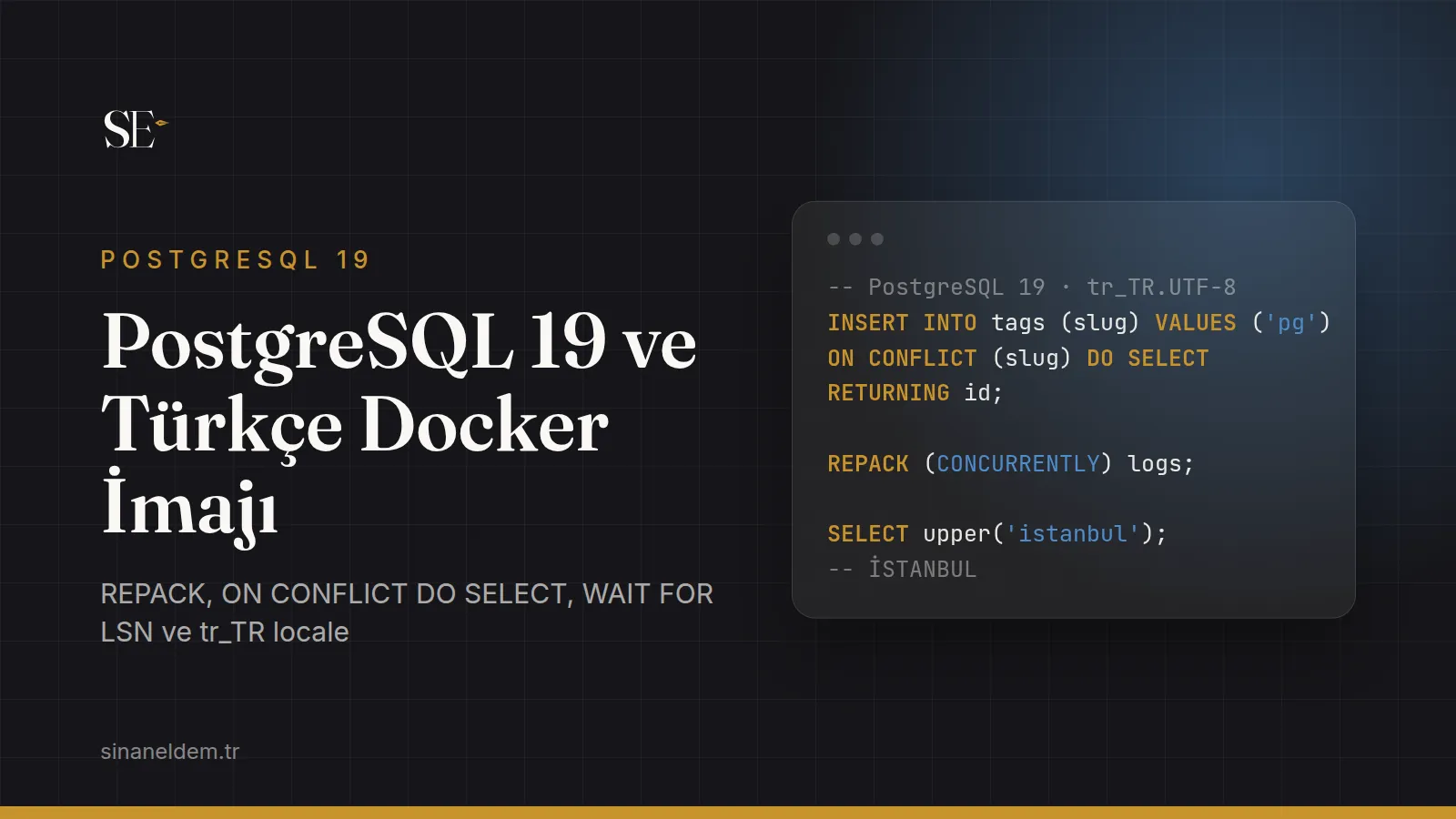
PostgreSQL 19 was released on November 19, 2026. Its highlights are REPACK, which rebuilds tables without blocking them; ON CONFLICT DO SELECT, which does “get or create” in a single query; WAIT FOR LSN, which gives read-your-writes on replicas; and sequence support in logical replication. In this article I walk through the new features with examples I ran on the PostgreSQL 19 server this very site runs on. At the end I share, step by step, the custom Docker image I built so that Turkish sorting and case conversion work correctly.
Key Features
REPACK: one command replacingVACUUM FULLandCLUSTERINSERT … ON CONFLICT DO SELECTWAIT FOR LSN: reading your own writes on a replicaSequences in logical replication and automatic
wal_levelParallel and prioritized autovacuum
pg_plan_adviceandpg_stash_adviceNew jsonpath string methods
The outputs in the examples were produced on PostgreSQL 19.0.
1. REPACK: Rebuilding Tables Without Locking Them
The new REPACK command rewrites a table to reclaim the space taken by dead rows and replaces VACUUM FULL and CLUSTER (both still work). With the CONCURRENTLY option it runs without the exclusive lock that blocks reads and writes; with USING INDEX it also orders the table by an index.
Why does it matter?
No more maintenance windows for
VACUUM FULLon large tables, and no external extension such as pg_repack.Progress can be followed in the new
pg_stat_progress_repackview.Restrictions:
CONCURRENTLYcannot run inside a transaction block, on partitioned or UNLOGGED tables, or on tables without a primary key or an index-based replica identity. The docs also warn that the concurrent mode is not MVCC-safe.
-- delete half of a 20,000-row table
DELETE FROM logs WHERE id % 2 = 0;
SELECT pg_size_pretty(pg_relation_size('logs'));  -- 5120 kB

REPACK (VERBOSE) logs;
-- INFO: "logs": found 10000 removable, 10000 nonremovable row versions in 640 pages

SELECT pg_size_pretty(pg_relation_size('logs'));  -- 2360 kB

-- without blocking writes, in index order:
REPACK (CONCURRENTLY) employees USING INDEX;
In the output above the table went from 5120 kB to 2360 kB after half of its rows were deleted.
Docs: postgresql.org/docs/19/sql-repack.html
2. INSERT … ON CONFLICT DO SELECT
ON CONFLICT can now return the conflicting row with RETURNING and optionally lock it. In this form the conflict target and RETURNING are required.
Why does it matter?
Patterns such as “find the tag or create it” are solved in one query, without a race, saving a network round trip.
A native database counterpart of helpers like Laravel’s
firstOrCreate().
PostgreSQL 18 and older:
-- "get or create" took two queries and had a race:
INSERT INTO tags (slug) VALUES ('postgresql')
ON CONFLICT (slug) DO NOTHING
RETURNING id, slug;          -- returns nothing if the row already exists

SELECT id, slug FROM tags WHERE slug = 'postgresql';
With PostgreSQL 19:
INSERT INTO tags (slug) VALUES ('postgresql')
ON CONFLICT (slug) DO SELECT
RETURNING id, slug;
-- 1 | postgresql   (first call: inserts)
-- 1 | postgresql   (second call: returns the existing row)

-- the returned row can also be locked:
INSERT INTO tags (slug) VALUES ('postgresql')
ON CONFLICT (slug) DO SELECT FOR UPDATE
RETURNING id;
Docs: postgresql.org/docs/19/sql-insert.html
3. WAIT FOR LSN: Reading Your Own Writes on a Replica
The new WAIT command waits until a replica has processed a given WAL position. A mode (standby_replay, standby_write, standby_flush, primary_flush) and a timeout can be given. It must run at the top level, not inside a function, procedure or DO block.
Why does it matter?
In applications that write to the primary and read from a replica, “I saved it but it isn’t in the list” goes away.
With
NO_THROWa timeout returns a status instead of an error.
-- after writing on the primary, take the position
SELECT pg_current_wal_lsn();          -- e.g. 0/0306EE20

-- on the replica, wait for it before reading
WAIT FOR LSN '0/0306EE20' WITH (MODE 'standby_replay', TIMEOUT '2s');
Docs: postgresql.org/docs/19/sql-wait.html
4. Sequences in Logical Replication and Automatic wal_level
Logical replication can now carry sequence values (FOR ALL SEQUENCES; requires a superuser). And when wal_level is replica, creating the first logical replication slot automatically raises the effective WAL level to logical; the new effective_wal_level setting shows it.
Why does it matter?
Upgrades done with logical replication no longer need a manual step to sync sequences.
Turning on logical replication no longer requires a server restart.
-- publish sequence values along with the tables
CREATE PUBLICATION all_tables_sequences FOR ALL TABLES, ALL SEQUENCES;

-- even with wal_level = replica, once the first logical slot exists
SHOW effective_wal_level;   -- replica → logical
Docs: postgresql.org/docs/19/sql-createpublication.html
5. Parallel and Prioritized Autovacuum
Autovacuum can now use parallel workers (autovacuum_max_parallel_workers, and autovacuum_parallel_workers per table). Which table goes first is decided by a new scoring system, with the scores in the pg_stat_autovacuum_scores view.
Why does it matter?
Vacuum takes less time on large tables with many indexes.
Tables approaching wraparound move to the front; the weights can be tuned with the
autovacuum_*_score_weightsettings.
Docs: postgresql.org/docs/19/release-19.html
6. pg_plan_advice and pg_stash_advice
The pg_plan_advice module lets you give the planner advice such as join order, index usage and join method (loaded through shared_preload_libraries or LOAD). The pg_stash_advice extension stores that advice by query id and applies it to queries automatically.
Why does it matter?
When a query’s plan degrades after a statistics change, you can pin the plan without changing the code.
EXPLAIN (PLAN_ADVICE)shows the advice that matches the current plan, which also helps when debugging plans.
LOAD 'pg_plan_advice';

EXPLAIN (COSTS OFF, PLAN_ADVICE)
SELECT * FROM join_fact f JOIN join_dim d ON f.dim_id = d.id;

-- tell the planner the join order
SET pg_plan_advice.advice = 'JOIN_ORDER(f d)';
Docs: postgresql.org/docs/19/pgplanadvice.html
7. New jsonpath String Methods
jsonpath gains ltrim(), rtrim(), btrim(), lower(), upper(), initcap(), replace() and split_part(). Like their string-function counterparts they are immutable, so they can be used in index expressions.
Why does it matter?
Text inside JSON can be cleaned and compared without pulling it out into SQL first.
SELECT jsonb_path_query('"  PostgreSQL 19  "', '$.btrim().lower()');
-- "postgresql 19"

SELECT jsonb_path_query('"tr_TR.UTF-8"', '$.split_part(".", 1)');
-- "tr_TR"

SELECT jsonb_path_query('"merhaba dünya"', '$.initcap()');
-- "Merhaba Dünya"
Docs: postgresql.org/docs/19/functions-json.html
Other Improvements
Foreign key checks are faster; according to the official announcement, bulk inserts were nearly 2x faster in testing.
COPY FROMuses SIMD CPU instructions for text and CSV input.The default TOAST compression is now
lz4instead ofpglz(when PostgreSQL is built with LZ4 support).The planner can aggregate before joins (eager aggregation);
NOT INis turned into an anti-join when no NULLs are involved.An
IOoption forEXPLAIN ANALYZE; newpg_stat_lockandpg_stat_recoveryviews.The number of I/O workers scales automatically with load (
io_min_workers,io_max_workers).IGNORE NULLS/RESPECT NULLSfor window functions (lead,lag,first_value…);LISTEN/NOTIFYscales better.
Compatibility and Migration
Moving from 18 to 19 requires a dump/restore with pg_dumpall, pg_upgrade or logical replication. Things to watch:
JIT is off by default. Systems with many large analytical queries may need to turn it on manually.
A warning is logged after successful MD5 password authentication (
md5_password_warnings); MD5 will be removed in the future, move to SCRAM.RADIUS support is removed;
standard_conforming_stringsis always on.A
json_array()call that returns no rows now gives[]instead ofNULL(tested:[]).The
max_locks_per_transactiondefault rose from 64 to 128;io_workerswas replaced byio_min_workers/io_max_workers.Full text search and
pg_trgmnow use the database’s locale provider for character classification: after upgrading, rebuilding the related indexes (REINDEX) and recomputing storedtsvectorvalues is recommended.The default operator class for
inet/cidrchanged to GiST;pg_upgraderefuses clusters with such indexes built onbtree_gist.
A Custom Docker Image for Turkish
The official postgres image ships only the en_US.UTF-8 locale. With a database created under it, Turkish text has two problems: “ç, ğ, ı, ö, ş, ü” sort in the wrong places, and upper('istanbul') returns “ISTANBUL” instead of “İSTANBUL”. So I built a small image on top of the official one that adds the Turkish locale and pgvector: sineld/custom-postgres:19-bookworm-tr.
Dockerfile
It starts from the official Debian (bookworm) based image; I chose Debian over Alpine for its glibc locales. pgvector comes from PostgreSQL’s own APT repository, so its version always matches the server.
FROM postgres:19-bookworm

# Turkish locale and pgvector
RUN apt-get update && apt-get install -y --no-install-recommends \
        locales \
        "postgresql-${PG_MAJOR}-pgvector" \
    && echo "tr_TR.UTF-8 UTF-8" >> /etc/locale.gen \
    && locale-gen \
    && rm -rf /var/lib/apt/lists/*

ENV LANG=tr_TR.UTF-8
ENV LC_ALL=tr_TR.UTF-8

# on first start: CREATE EXTENSION IF NOT EXISTS vector;
COPY 10-pgvector.sql /docker-entrypoint-initdb.d/
10-pgvector.sql holds a single line: CREATE EXTENSION IF NOT EXISTS vector;. The official image runs the files in /docker-entrypoint-initdb.d/ only when the data directory is empty, that is, on first start.
The result: Turkish sorting and case conversion
The same queries on a database created with this image:
SELECT string_agg(w, ' ' ORDER BY w)
FROM unnest(ARRAY['ılık','ışık','iğne','çay','cam','zeytin',
                  'şeker','sabun','ödev','oda','üzüm','uçak']) w;
-- cam çay ılık ışık iğne oda ödev sabun şeker uçak üzüm zeytin

SELECT upper('istanbul ılık'), lower('İSTANBUL IŞIK');
-- İSTANBUL ILIK | istanbul ışık
“ı” coming before “i”, “ç” after “c”, “ş” after “s”, and the correct İ/ı conversion all follow Turkish rules. Databases are created with tr_TR.UTF-8 (libc provider); the image also has pg_trgm, unaccent, citext, pgcrypto and pg_stat_statements ready.
Docker Compose
On the server it runs through 1Panel; the essence is:
services:
  postgresql19:
    image: sineld/custom-postgres:19-bookworm-tr
    restart: always
    shm_size: 1gb                 # /dev/shm for parallel queries
    ports:
      - "127.0.0.1:5432:5432"     # reachable from the host only
    volumes:
      - ./data:/var/lib/postgresql   # PGDATA: /var/lib/postgresql/19/docker
    healthcheck:
      test: ["CMD", "pg_isready", "-h", "127.0.0.1", "-p", "5432", "-q"]
      interval: 30s
Two details matter. Since PostgreSQL 18 the official image mounts the volume at /var/lib/postgresql and keeps the data under /var/lib/postgresql/19/docker; copy the old /var/lib/postgresql/data mount from older setups and your data stays inside the container. Second, Docker’s default 64 MB /dev/shm can cause “could not resize shared memory segment” errors with parallel queries; shm_size prevents that.
Settings
The base settings I applied with ALTER SYSTEM on a server with 23 GB of RAM and SSD storage:
ALTER SYSTEM SET shared_buffers = '2GB';
ALTER SYSTEM SET effective_cache_size = '8GB';
ALTER SYSTEM SET work_mem = '16MB';
ALTER SYSTEM SET maintenance_work_mem = '256MB';
ALTER SYSTEM SET random_page_cost = 1.2;          -- SSD
ALTER SYSTEM SET effective_io_concurrency = 200;
ALTER SYSTEM SET wal_compression = 'lz4';
ALTER SYSTEM SET max_wal_size = '2GB';
ALTER SYSTEM SET checkpoint_timeout = '15min';
ALTER SYSTEM SET autovacuum_vacuum_scale_factor = 0.1;
ALTER SYSTEM SET autovacuum_analyze_scale_factor = 0.05;
PgBouncer runs in front of it in transaction mode; the Laravel applications connect to PgBouncer, not to PostgreSQL directly:
DB_CONNECTION=pgsql
DB_HOST=pgbouncer
DB_PORT=6432
DB_DATABASE=uygulama
DB_USERNAME=uygulama
If the PostgreSQL container is restarted, PgBouncer must be restarted too; otherwise the application can fail for a while because of cached stale connections.
Moving from 18 to 19
For each database I took a custom-format dump (
-Fc) with 19’spg_dump, created the role and database in the new container, loaded it withpg_restore --no-owner --no-acl, then ranANALYZE.To verify, I compared per-table row counts and the number of indexes, constraints and sequences on the old and new servers.
If you use full text search or
pg_trgmindexes, runREINDEXafter the move because of the locale change above.
Conclusion
PostgreSQL 19 is a release that makes day-to-day operations easier. REPACK (CONCURRENTLY) largely removes maintenance windows, ON CONFLICT DO SELECT removes “get or create” code from the application, and WAIT FOR LSN removes consistency problems on replicas.
If you work with Turkish content, getting the locale right from the start matters more than the version upgrade: sorting and case conversion are fixed when the database is created, and changing them later takes a dump and restore. This site runs on exactly this setup.
Sources: PostgreSQL 19 release notes, the official announcement and the postgresql.org/docs/19 documentation. Examples were run on PostgreSQL 19.0.